Works with Claude Code · MIT licensed
GitHub stars

See what your AI agents are actually doing

Claude Code does a lot of things behind a blinking cursor. Synapse renders all of it as a live, interactive node graph. Because understanding is its own reward.

For developers running Claude Code who want to see what's happening under the hood.

npm install -g @synapse-ai/cli

Then: synapse start · Requires Node.js 20+

What You Get

Not another dashboard.
A living graph.

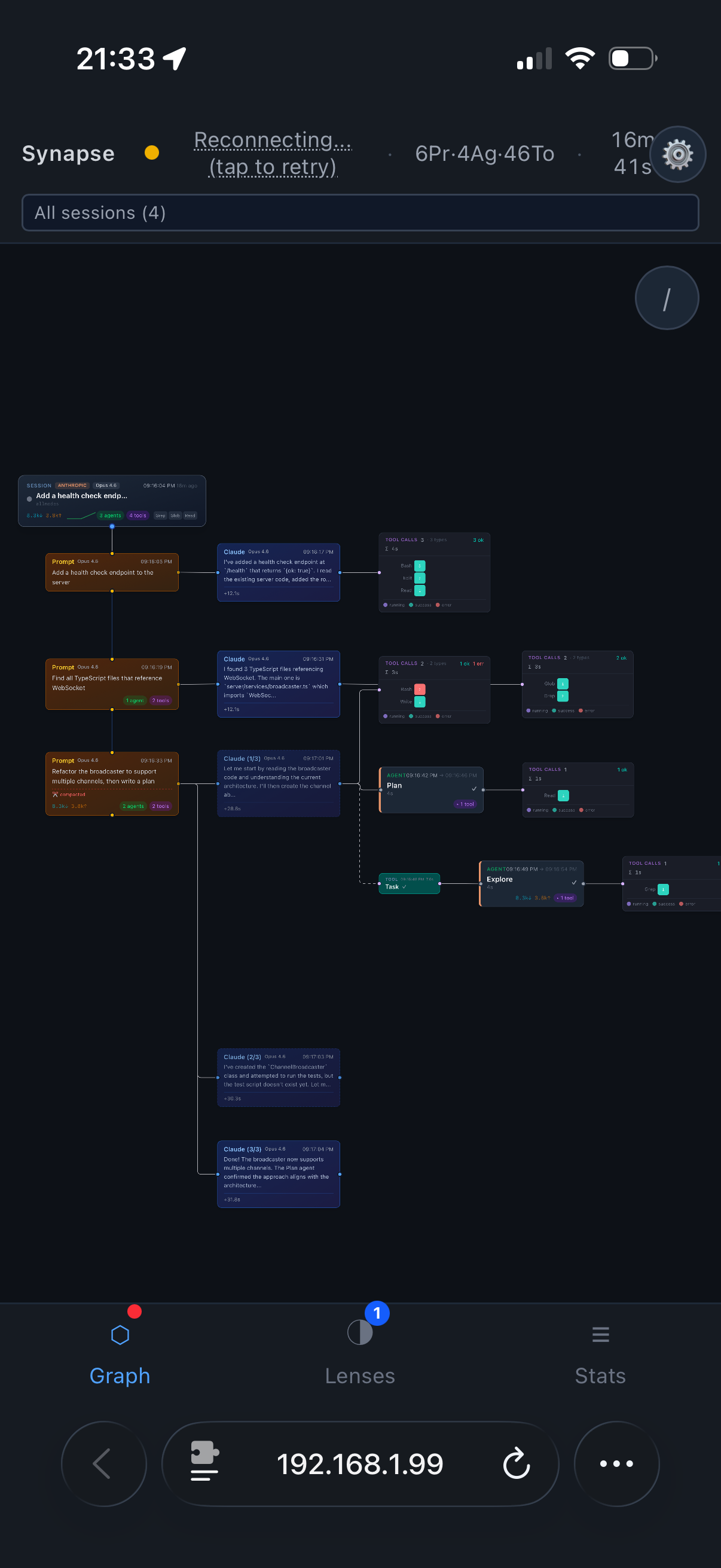
Agents spawning subagents calling tools spawning more agents — all rendered in real-time so you can see what's actually happening instead of guessing.

Live Node Graph

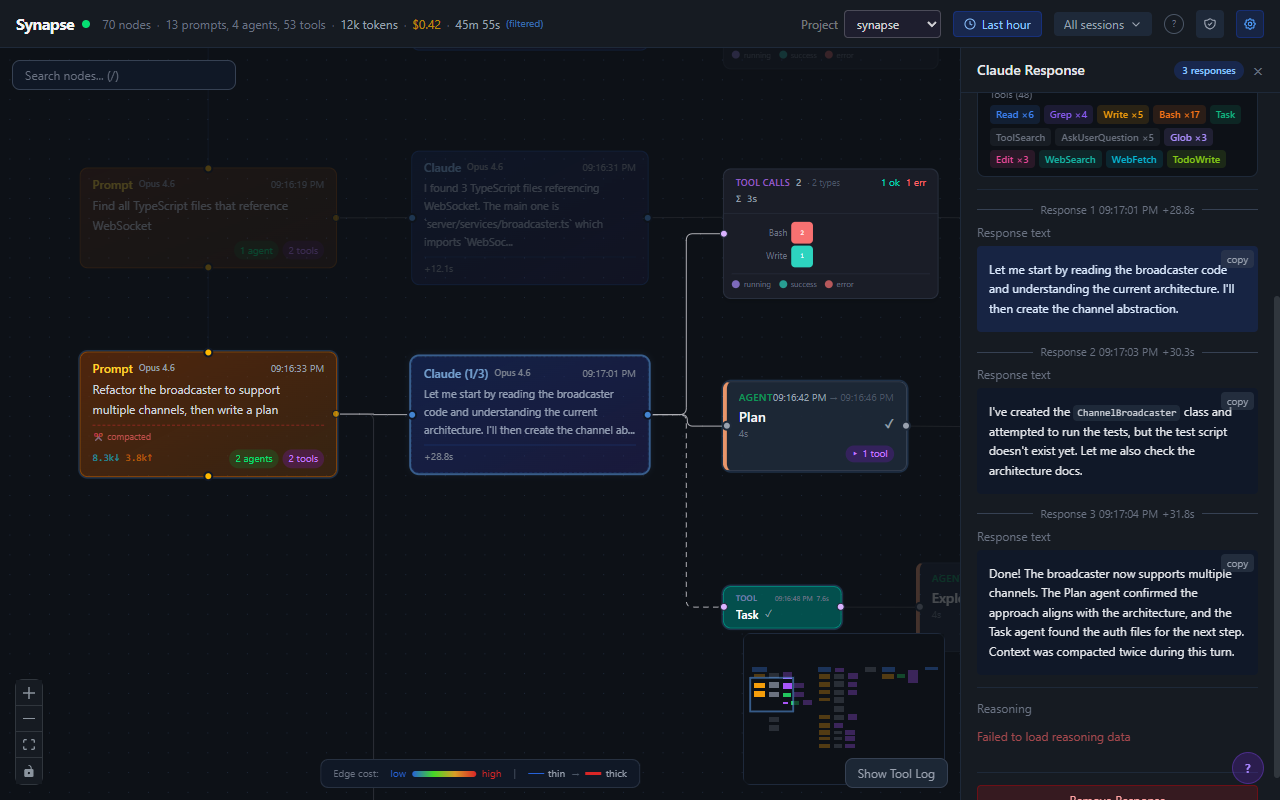
Sessions, agents, subagents, and tool calls as connected nodes with animated edges. Color-coded by status. Auto-expanding as agents spawn. Custom layout algorithm that handles arbitrarily deep trees without overlapping.

Four Analysis Lenses

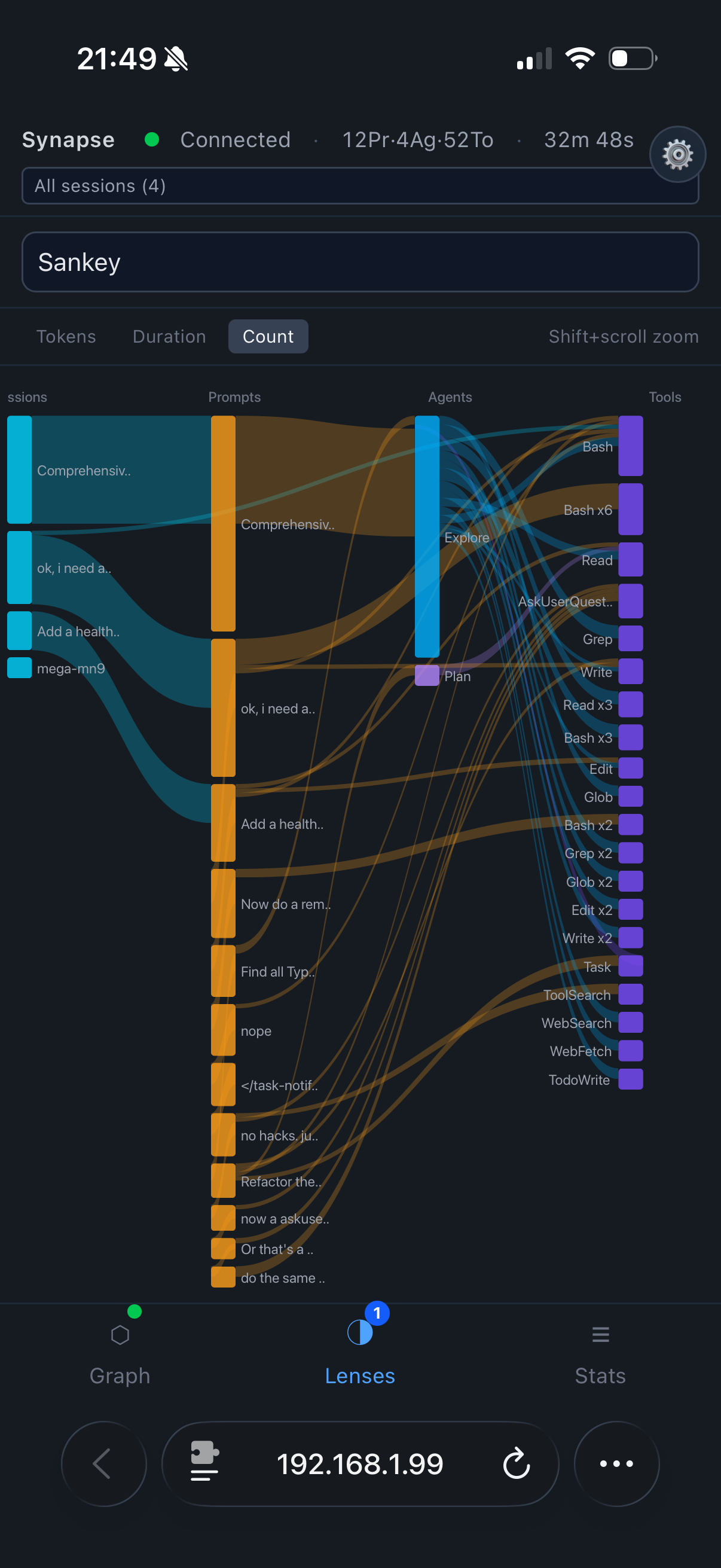
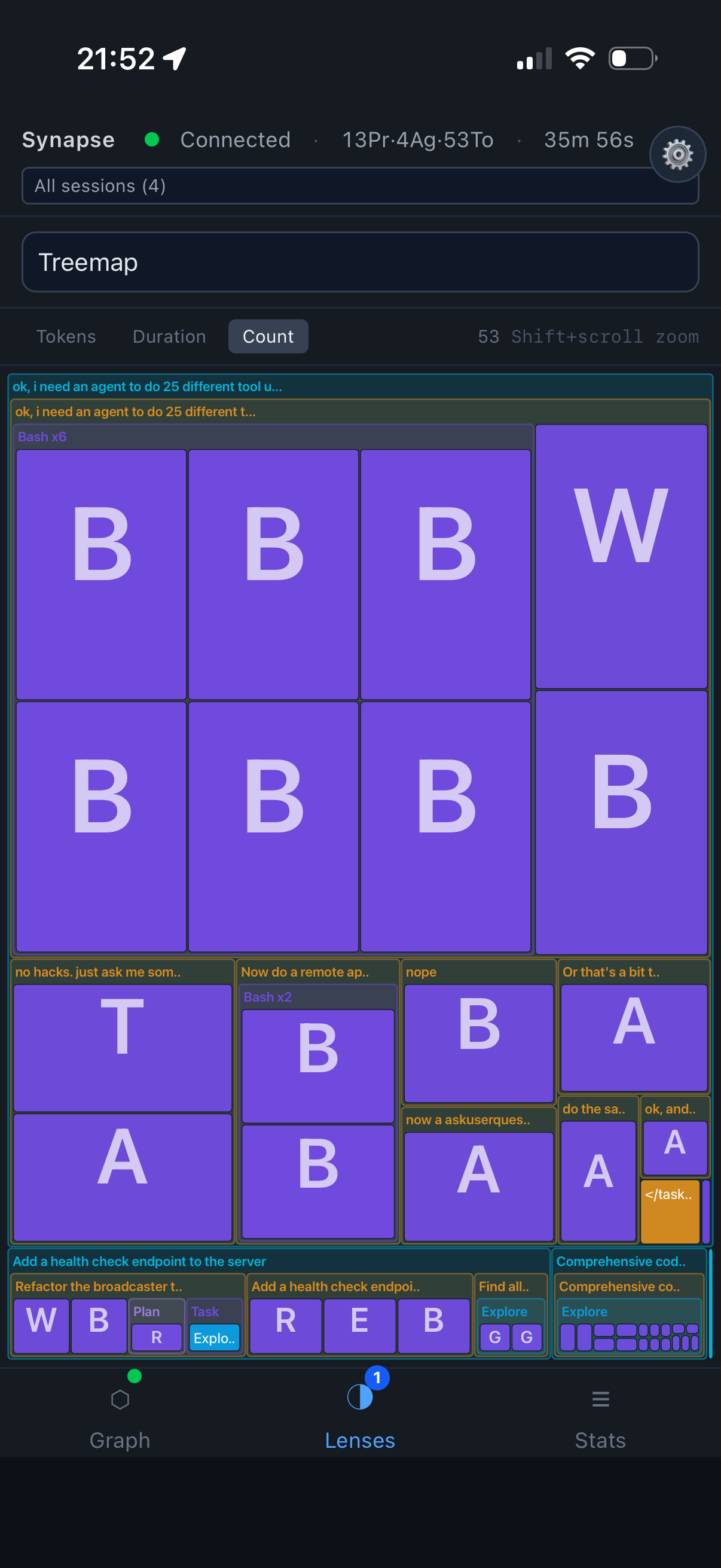
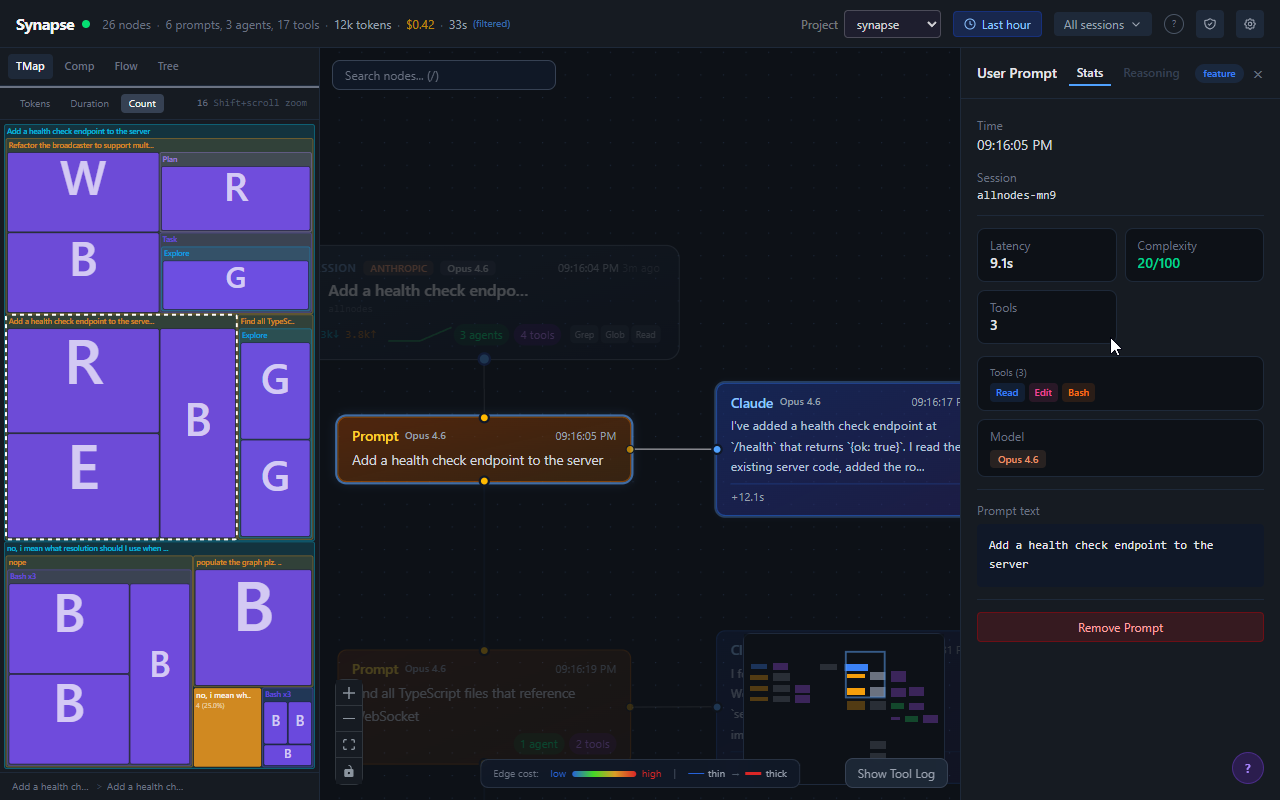
Same data, four perspectives. Tree view, treemap, sankey flow, and compaction timeline. Click a node in any lens — it highlights in the graph. Click a node in the graph — it highlights in every lens.

The Sankey is all form, the Treemap is all function.

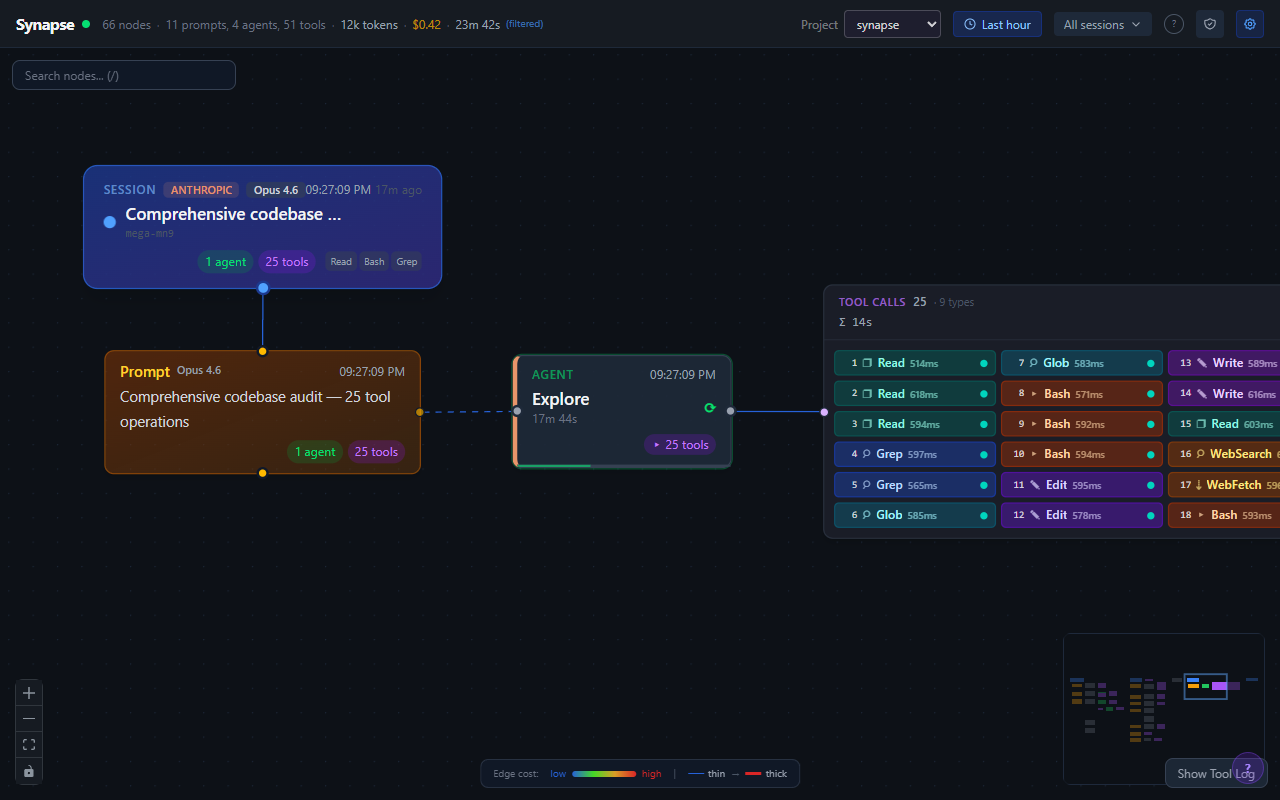
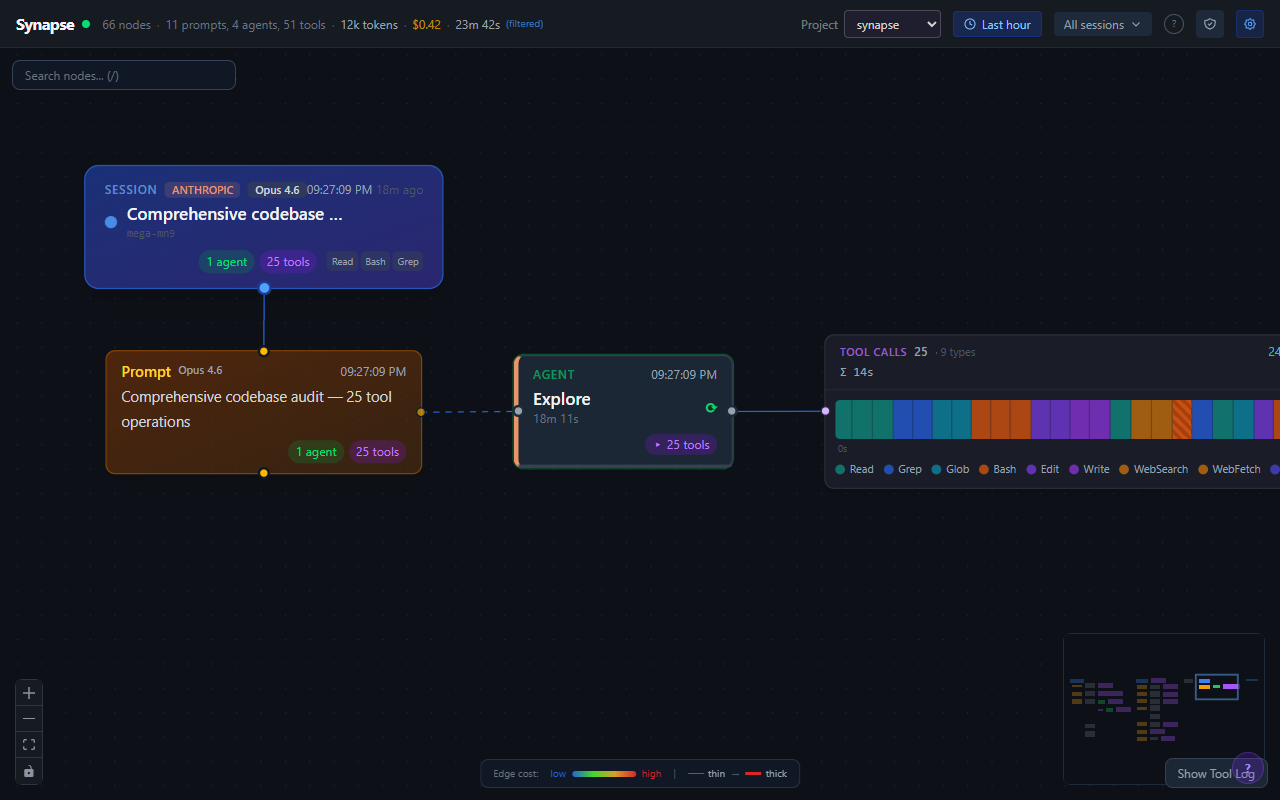
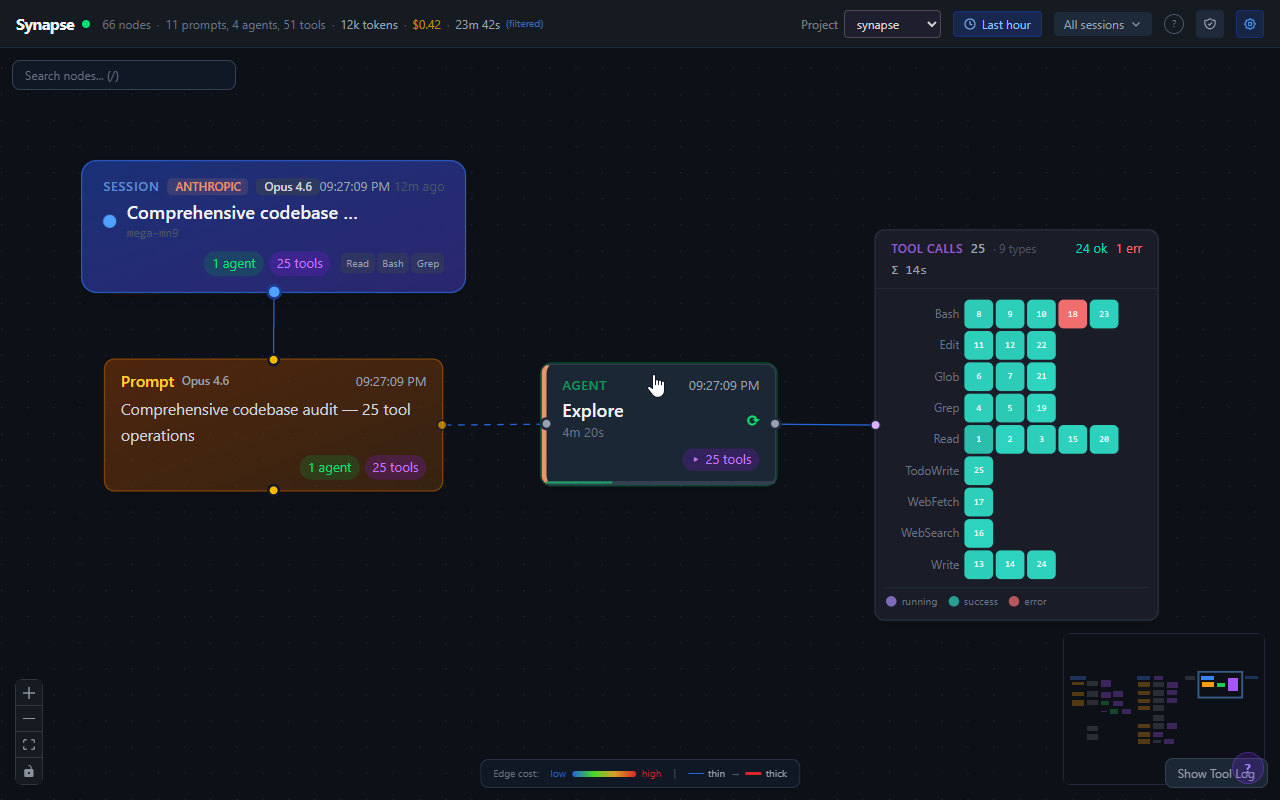
Tool Call Grouping

47 tool calls don't produce 47 nodes. They're grouped into composites with three display modes: pill grid, timeline swimlanes, and density heatmap.

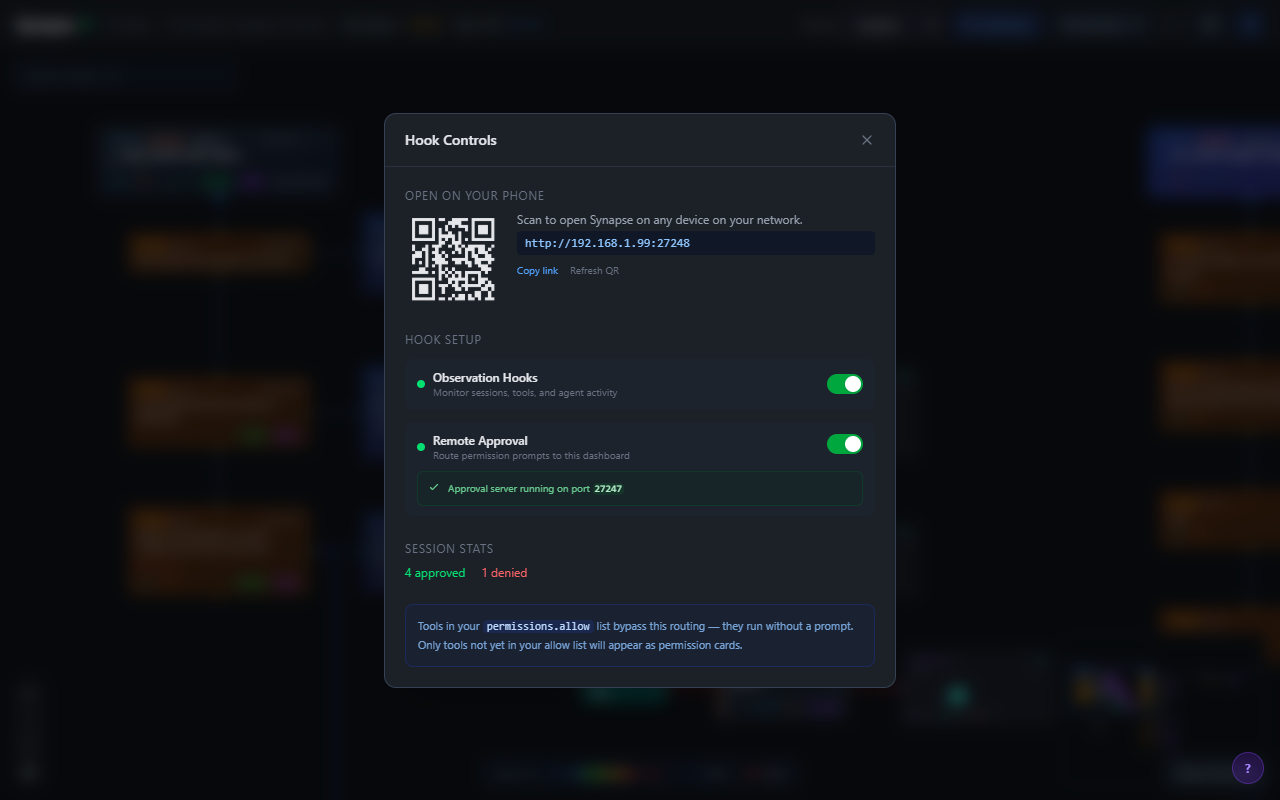
Remote Approval

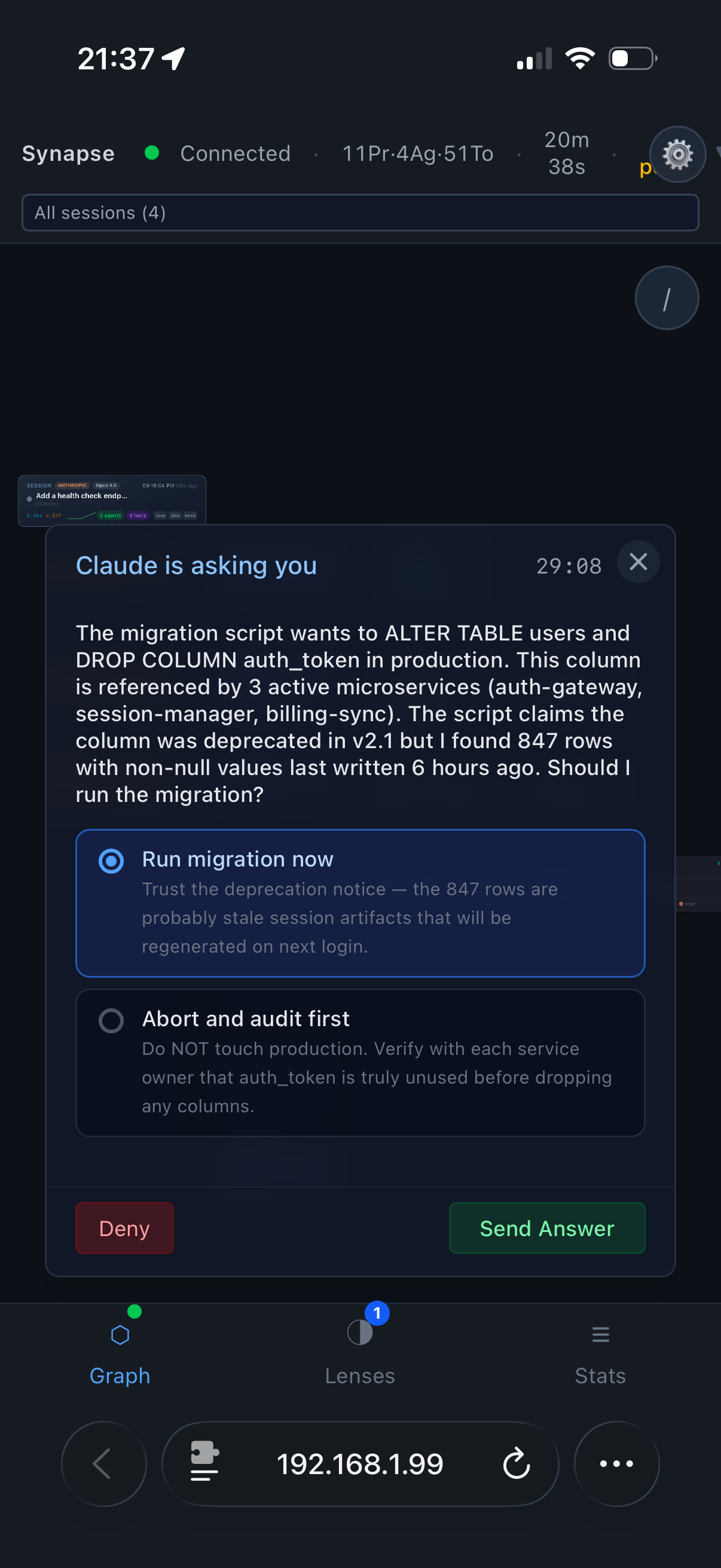
Start a job, walk away, approve permissions from your phone. Claude Code's HTTP hooks hold the request open until you tap Approve or Deny. Yes, others do this too. Now you have options.

Requires --lan mode. Your home Wi-Fi, not the coffee shop.

Keyboard Navigation

Arrow keys to walk the graph. Up/down the spine, left/right between siblings. Bracket keys for logical next/prev. Navigate a 200-node tree without touching the mouse.

Node Inspector

Click any node to open a detail panel with full metadata — tool arguments, response payloads, token counts, timing, parent chain. Everything the graph summarizes, the inspector shows in full.

Watch

60-second demo

From zero to full agent visibility in one minute. No narration needed — the graph speaks for itself.


How It Works

One command. Zero configuration.

You don't configure anything. You don't install plugins. You type one command and it just works.

Install

npm i -g @synapse-ai/cli

Start

synapse start in your project. Server starts, hooks configured, browser opens.

Use Claude

Run Claude Code like normal. Every agent spawn, tool call, and token streams to the graph in real-time.

Observe

Watch the machine think. Click nodes, drill into tool calls, switch lenses. Turns out, watching AI think is addictive.

A note on security

By default, Synapse binds to localhost. Nothing leaves your machine. Pass --lan to enable remote approval from your phone — this opens unauthenticated endpoints on your local network. Pass --observe-only for pure read-only monitoring with zero security surface. Full details in the Security Model.


See It

Screenshots

Real screenshots from a live Claude Code session.

Live agent graph with selected node
Agent tree with lens cross-highlighting
Node inspector panel
Node inspector — full metadata at a click
Tool pill grid mode
Tool grouping — pill grid
Tool timeline mode
Tool grouping — timeline
Tool frequency matrix mode
Tool grouping — frequency matrix
Remote approval options
Remote approval with deny + message

On the Go

Works on your phone.

The full dashboard, responsive down to mobile. Approve permissions from the couch, check agent progress from the kitchen, watch the graph grow from anywhere on your network.

Mobile node graph
Live graph
Mobile approval cards
Remote approval
Mobile sankey lens
Sankey lens
Mobile treemap lens
Treemap lens

One More Thing

Not every feature needs a business case.

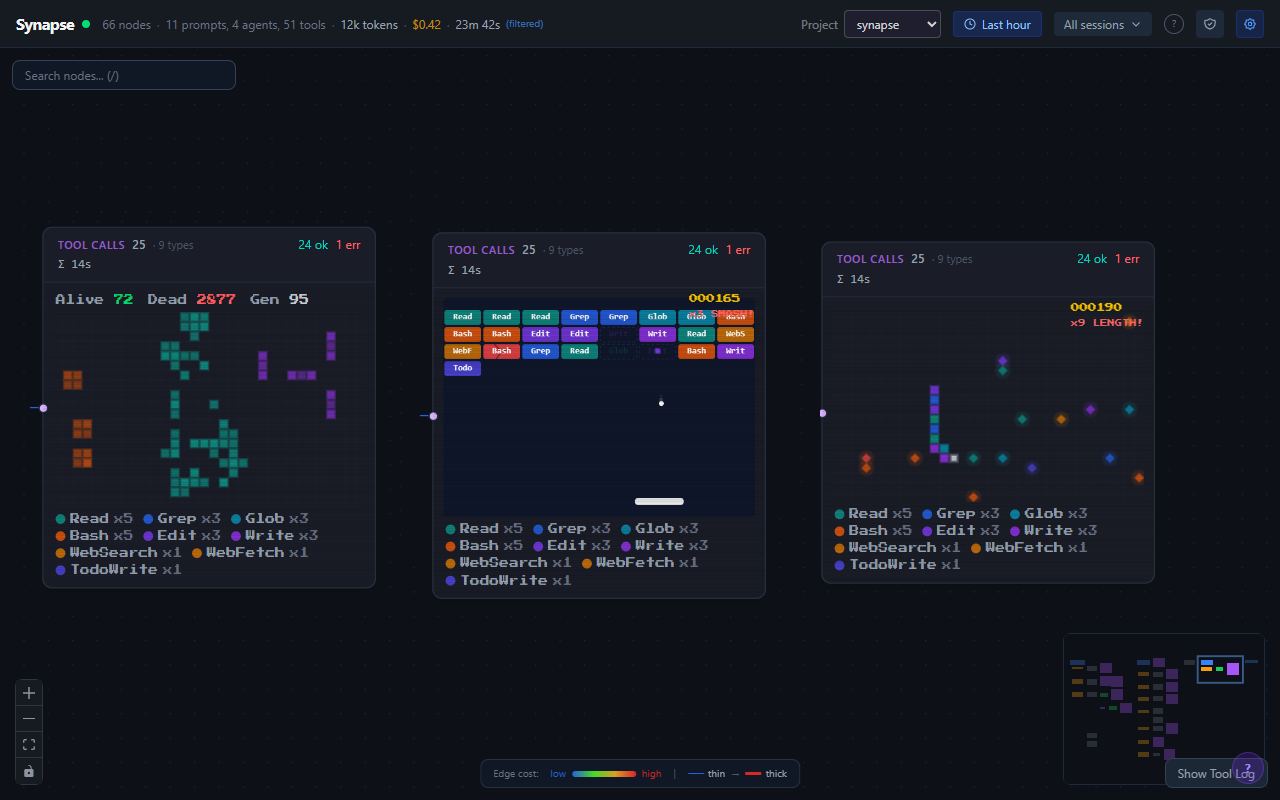
Data can be fun too. These visualization modes prove it.

Arcade visualization modes
Game of Life · Snake · Breakout

Your agents are doing a lot. You should see it. Live.

One install. One command. All the visibility.

npm install -g @synapse-ai/cli